Get Your LLM API Key
Your LLM API key and endpoint are available from the application portal. Keys belong to a workspace, and each workspace runs in one region.
Steps
- Log in at my.amazee.io
- Open your workspace: pick it on the home page, or from the All workspaces menu at the top
- Click AI keys in the sidebar
-
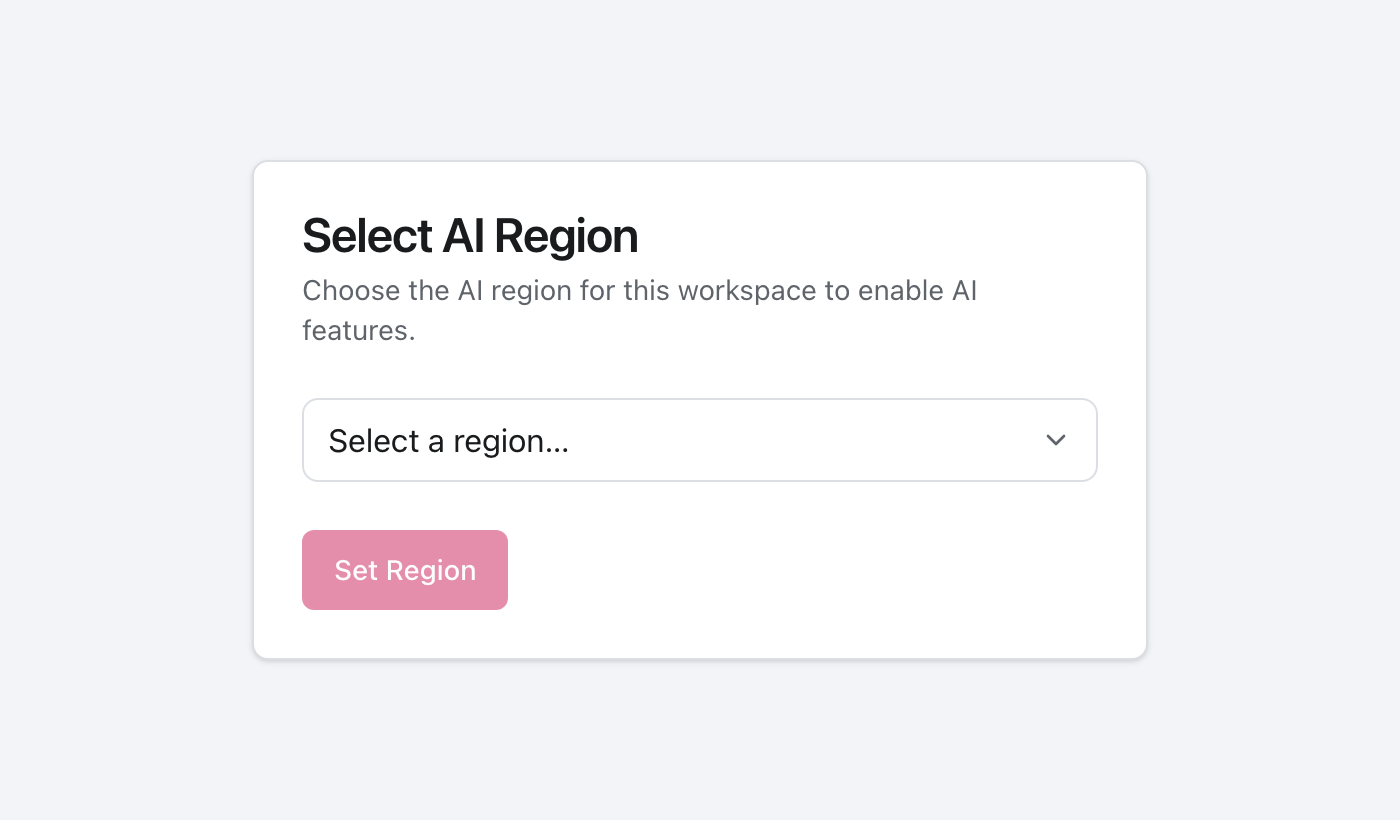
First time only: if your workspace doesn't have a region yet, an admin picks one and clicks Set Region
-
Click + New key
-
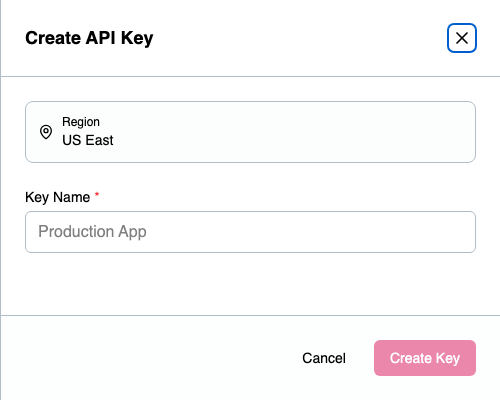
Enter a key name and click Create key
-
In the key's row, copy your API key and your endpoint
Keep both values handy. You'll need them for every integration guide.
The AI keys page
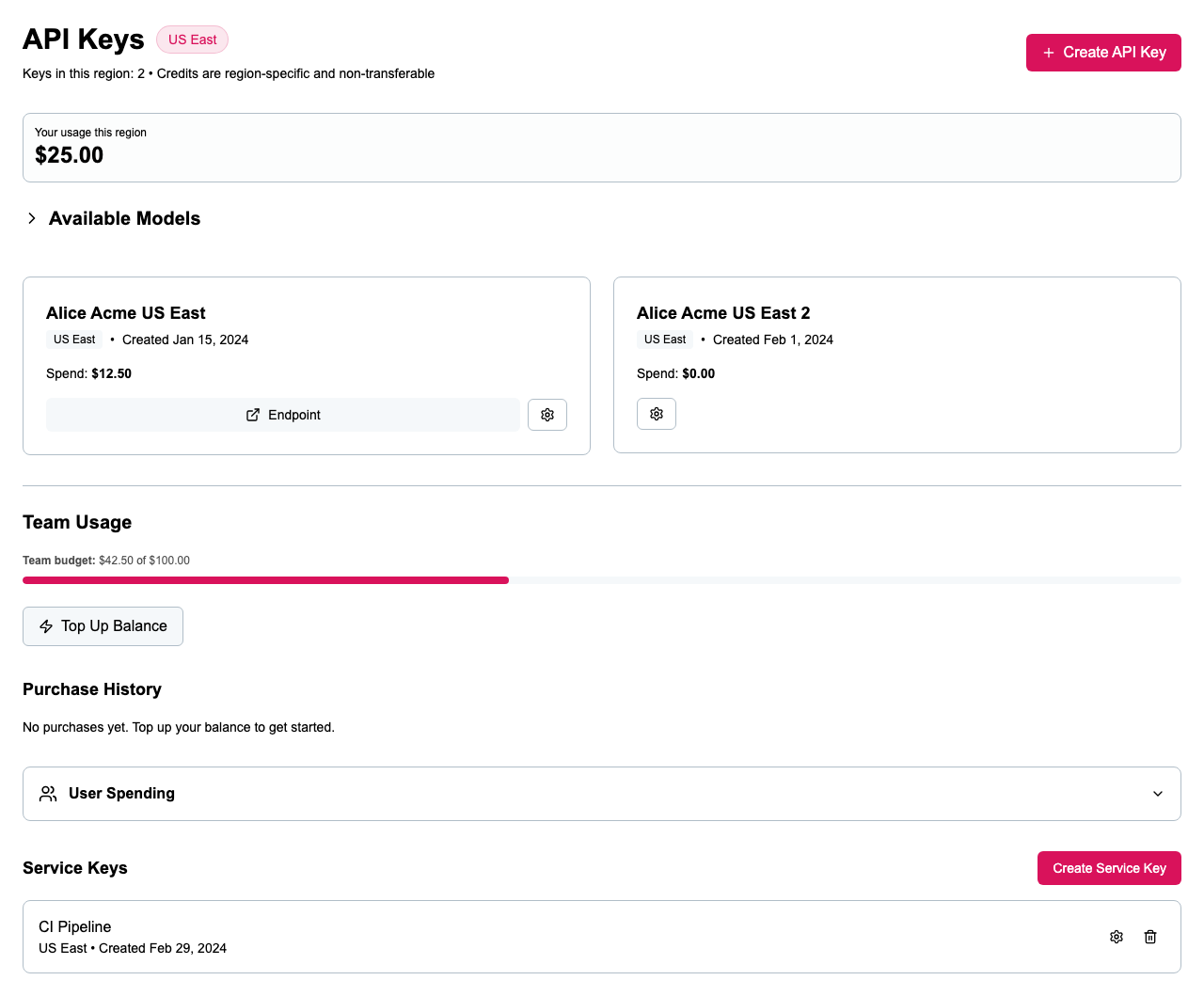
- My usage shows what you've spent in this workspace against your personal budget.
- Your keys lists keys tied to you. Each row shows the key's spend and limit, and has buttons to reveal the key, copy the key, copy the endpoint, and a ⋯ menu to set a spending limit or delete the key.
- Team usage shows the whole workspace's spend against its budget. Admins can click Top up balance here.
- Service keys are for automation, like CI pipelines, bots, and batch jobs. They aren't tied to a person. Admins see every service key in the workspace.
- Available models links to the models you can use in your region.
Workspaces and regions
Each workspace has its own members, keys, and budget, and is locked to one region. Every key in the workspace uses that region's endpoint, and keys can't move to another region. If you belong to more than one workspace, check you're in the right one before creating a key. See Workspaces for the full picture.
Service keys
Admins can create a service key: click + New key and turn on Service key. Use one for anything that runs without a person behind it. Its spend is managed by an admin, not tied to whoever created it.
Spending limits
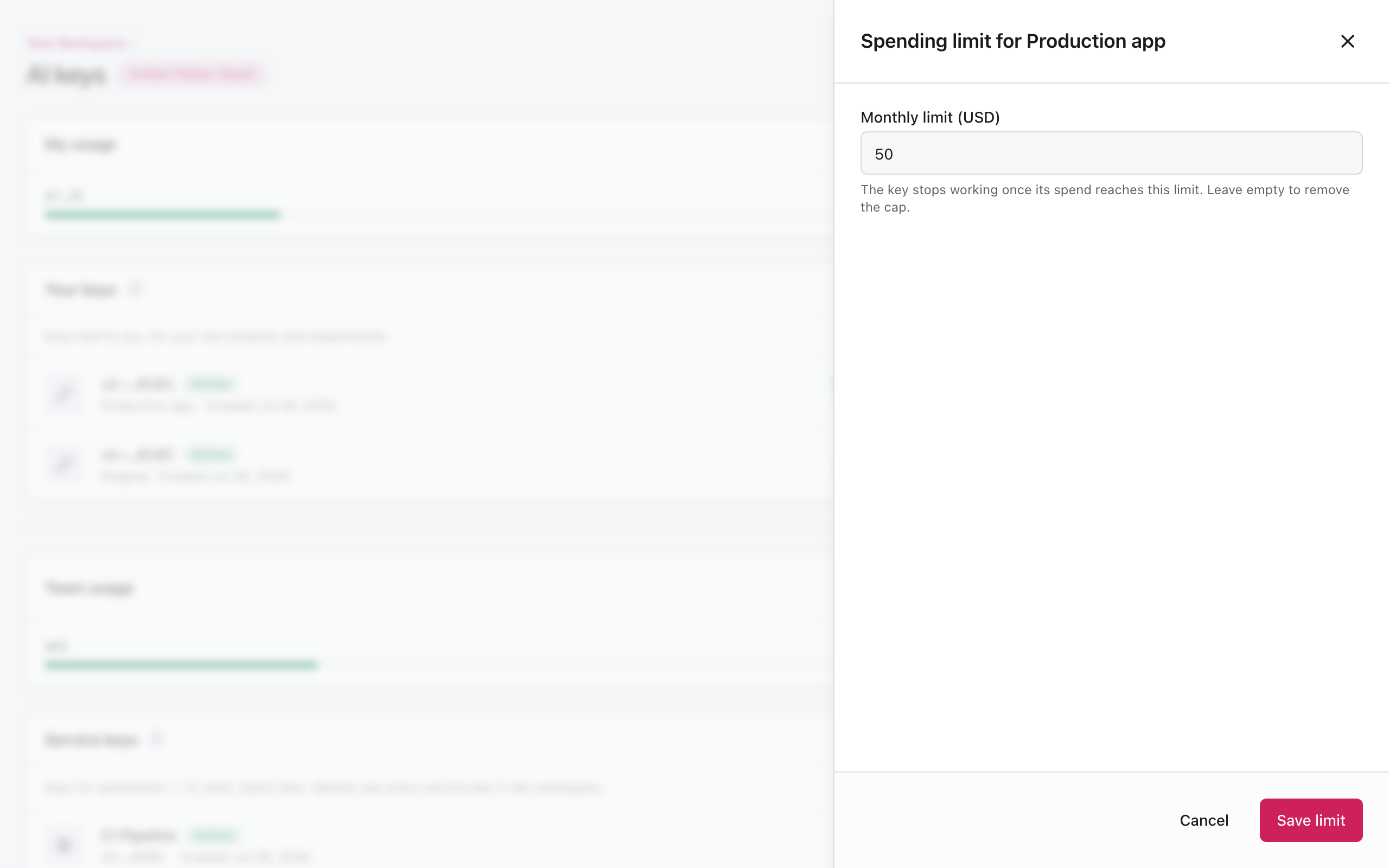
You can cap how much a single key can spend each month. Open the key's ⋯ menu, choose Edit budget, enter a monthly limit in USD, and click Save limit. The key stops working once it reaches the limit. Leave the field empty to remove the cap.
Endpoints
Copy your endpoint from the key's row. It looks like:
https://llm.[region].amazee.ai/v1
Available regions include:
| Region | Endpoint |
|---|---|
| Switzerland | https://llm.ch103.amazee.ai/v1 |
| Europe | https://llm.de-eu101.amazee.ai/v1 |
| United States | https://llm.us103.amazee.ai/v1 |
| Australia | https://llm.au103.amazee.ai/v1 |
| United Kingdom | https://llm.uk103.amazee.ai/v1 |
Your exact endpoint is shown in the portal. Use that value, not the table above.
Roles and budgets
Workspaces have two roles, Admin and Member. Members create and manage their own keys. Admins also manage service keys, members, the region, and billing. Budgets are tracked per workspace, per member, and per key. See Workspaces for who can do what.